

A solo family law and estate practice has one budget line that never moves: you. Every software subscription competes with your own billable hours, your malpractice premium, and the month a big retainer slips. So the useful question about AI for solo lawyers is not "which tool is smartest?" It is "what is my monthly number, and what does each dollar buy back?"
This guide answers that the way a one-person shop has to. We picked eight tools that a solo can actually sign up for, checked their published prices, and sorted them into a core tool plus optional add-ons by practice type. Then we priced three real stacks, from about $67 a month to about $367 a month, so you can see the totals before you enter a card number.
AI for solo lawyers: the short list
The core of the stack (pick one)
- LegesGPT: Best core tool for a one-person practice. Research with cited sources, document review that suggests fixes, guided drafting, and e-signature under one login, from $19.99/month.
Add-ons by practice type
- Clio (Manage + Clio Work): Best for solos who already run billing and trust accounting in Clio and want AI that reads their matter files.
- MyCase: Best practice management with AI built into posted, per-user prices, so you can budget without a sales call.
- Gavel: Best for estate planners who want a client questionnaire to produce a finished will or trust package.
- Otter.ai: Best low-cost note taker for client meetings and calls, with a free tier to test on.
- Briefpoint: Best for family law litigators buried in interrogatories, requests for production, and requests for admission.
Only if the work justifies the spend
- Spellbook: Best for solos whose practice is mostly contract drafting and redlining inside Microsoft Word.
- CoCounsel: Best for a solo who already pays for Westlaw and wants AI tied to it.
| Tool | Role in a solo stack | Starting price | Free trial | Billing |
|---|---|---|---|---|
| LegesGPT | Core: research, review, drafting, e-sign | $19.99/mo | 3-day, $1 | Monthly or annual (save 30%) |
| Clio | Practice management + matter AI | $49/user/mo (Starter) | Free trial | Monthly or annual |
| MyCase | Practice management with built-in AI | $60/user/mo ($50 annual) | 10-day, no card | Monthly or annual |
| Gavel | Intake-to-document automation | $83/mo (Lite) | 7-day, no card | Monthly or annual |
| Otter.ai | Meeting and call transcription | Free; Pro $16.99/mo | Free tier | Monthly or annual |
| Briefpoint | Written discovery drafting | $150/mo per attorney | Demo | Annual ($1,800/yr) |
| Spellbook | Redlining agreements inside Word | Quote only | 7-day | Contract |
| CoCounsel | Westlaw-linked AI assistant | From $340.85/mo (Essentials) | Free trial (Essentials) | Contract |
1. LegesGPT, best core tool for a one-person practice
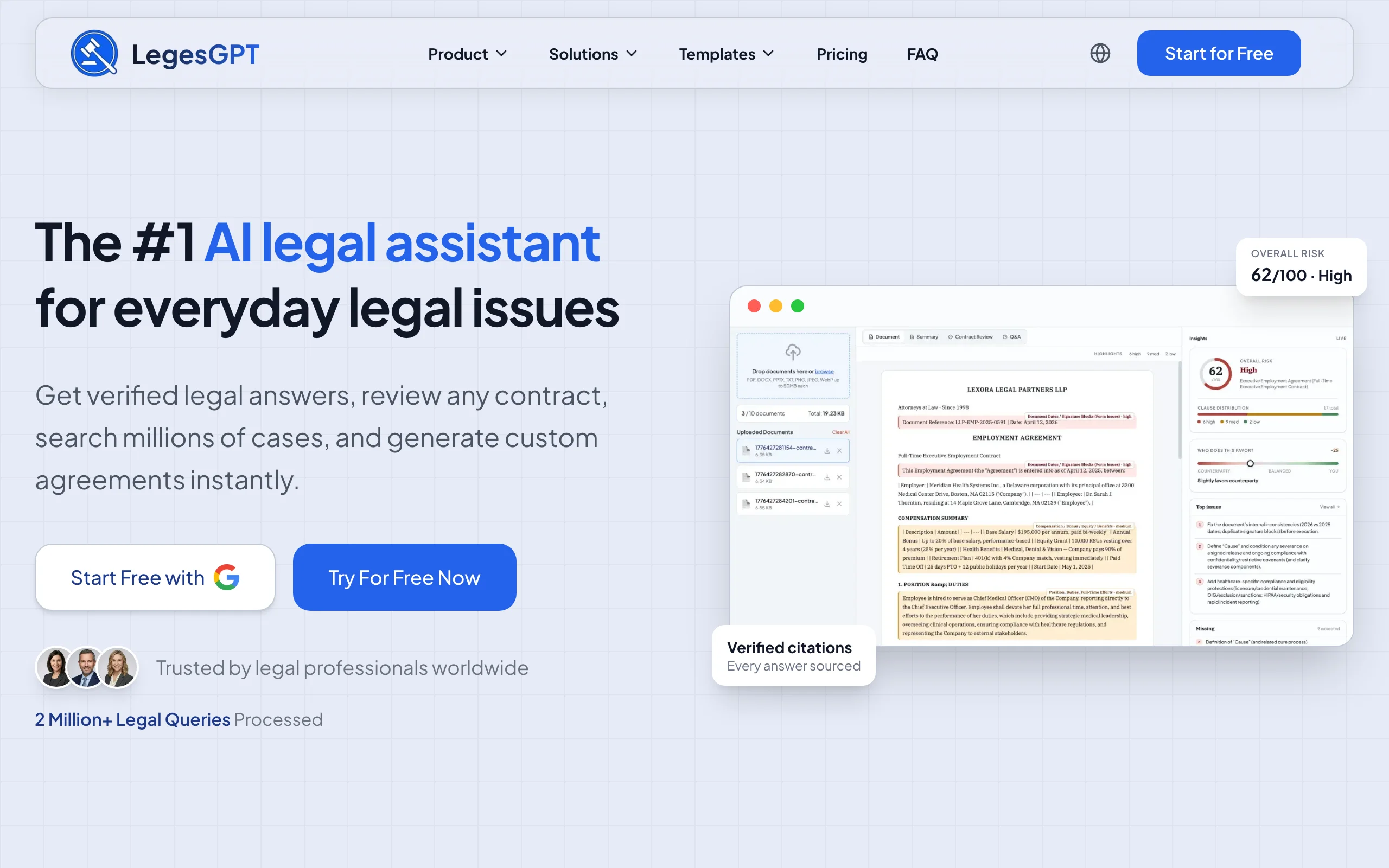
When you are the only lawyer, the expensive moment is switching: from a research question to a draft, from the draft to a client's marked-up copy, from the final version to a signature request. LegesGPT keeps those steps in one browser tab. You ask a question in plain English and the reply comes back citing its authority, each source one click away, so checking it takes minutes instead of an afternoon. You upload the prenup opposing counsel sent over and it flags the clauses that cut against your client and proposes alternative language. You pick a document type, answer a short set of guided questions, and get a draft you can finish and send for e-signature.
For a family law and estate solo, that covers most of the weekly grind: a quick check on how your state treats separate property commingled in a joint account, a first draft of a durable power of attorney, a risk pass on a settlement agreement before mediation.
Key features
- Answers that cite their authority, with every source one click away
- Searchable case law and statutes to confirm a rule before you rely on it
- Document review that flags risky terms and suggests replacement language
- Guided AI drafting of contracts and documents, plus built-in e-signature
- Deep Research for layered questions, plus more than 100 templates
Best for
- Solos who want one subscription to cover research, review, and drafting
- Family law and estate attorneys who draft from scratch more than they assemble from a form library
Pricing
- Three monthly tiers: $19.99 (Basic), $49.99 (Plus, which adds 50 uploaded-document reviews each month), and $99.99 (Premium, with no review cap and priority support)
- Try it for three days for $1; paying yearly cuts the price by 30%
Pros
- The lowest entry price on this list for a tool that does real legal work
- No seat minimums, no sales call, no IT setup
- Covers the three jobs a solo does most (research, drafting, review) without stitching tools together
Cons
- Web only: no mobile app, no Word add-in, no API, so you work in the browser and export
- It is not practice management, so billing, trust accounting, and calendaring still need a separate system
2. Clio (Manage + Clio Work), best if your practice already lives in Clio
Many solos already pay Clio for time entries, invoices, and trust reconciliation. The AI story there now has two parts. Clio Manage builds AI into the practice side on its Core plan and above: it can draft bills on a schedule you set, turn uploaded documents into calendar events and tasks, and write client status updates from activity in the matter. Clio Work is the legal work side, an AI workspace that reads across a matter's documents to build a timeline, list key facts and claims, and point out gaps, then drafts with cited authority checked by a built-in citator.
If you already keep every custody file in Clio, the appeal is that the AI sees what you see without another upload.

Key features
- Automated bill drafting and AI client updates (Core plan and above)
- Documents turned into calendar events and tasks, checked against the source
- Clio Work matter timelines, key facts, and risk and gap summaries
- Cited research results with jurisdiction matching and a citator check
Best for
- Solos already using Clio for billing and trust accounting
- Litigation-heavy family practices where the case file is large and scattered
Pricing
- Clio Manage starts at $49/user/month on the Starter plan, which does not include the AI features above
- Core, Signature, and Elite are priced on request; Clio Work offers a free trial but does not post a price
Pros
- AI that works on records you already maintain
- Clio states that firm data is not used to train its AI
Cons
- The AI features you want sit above the cheapest plan, and their prices are not posted
- Easy to overbuy: you can end up paying for Clio Work and a separate research tool that do the same job
3. MyCase, best practice management with AI and posted prices
MyCase (now part of 8am) is the practice management pick for a solo who wants to see the full price before talking to anyone. The AI lives inside the Pro and Advanced plans: a writing assistant that adjusts tone, translates, and tightens client emails, and a document assistant that pulls out and summarizes key details from a file. Advanced adds a case assistant for analysis and research and a discovery assistant with 5,000 OCR pages per user each month.
For a family law solo, the document assistant is the daily win: drop in a 40-page financial disclosure and get the numbers that matter for the support calculation pulled to the top.
Key features
- Writing assistant for tone, clarity, and translation (Pro and Advanced)
- Document assistant that extracts and summarizes key details (Pro and Advanced)
- Case assistant and discovery assistant with 5,000 OCR pages per user monthly (Advanced)
- Full practice management underneath: billing, payments, calendar, client portal
Best for
- Solos choosing their first practice management system
- Attorneys who want AI and billing on one bill with no negotiation
Pricing
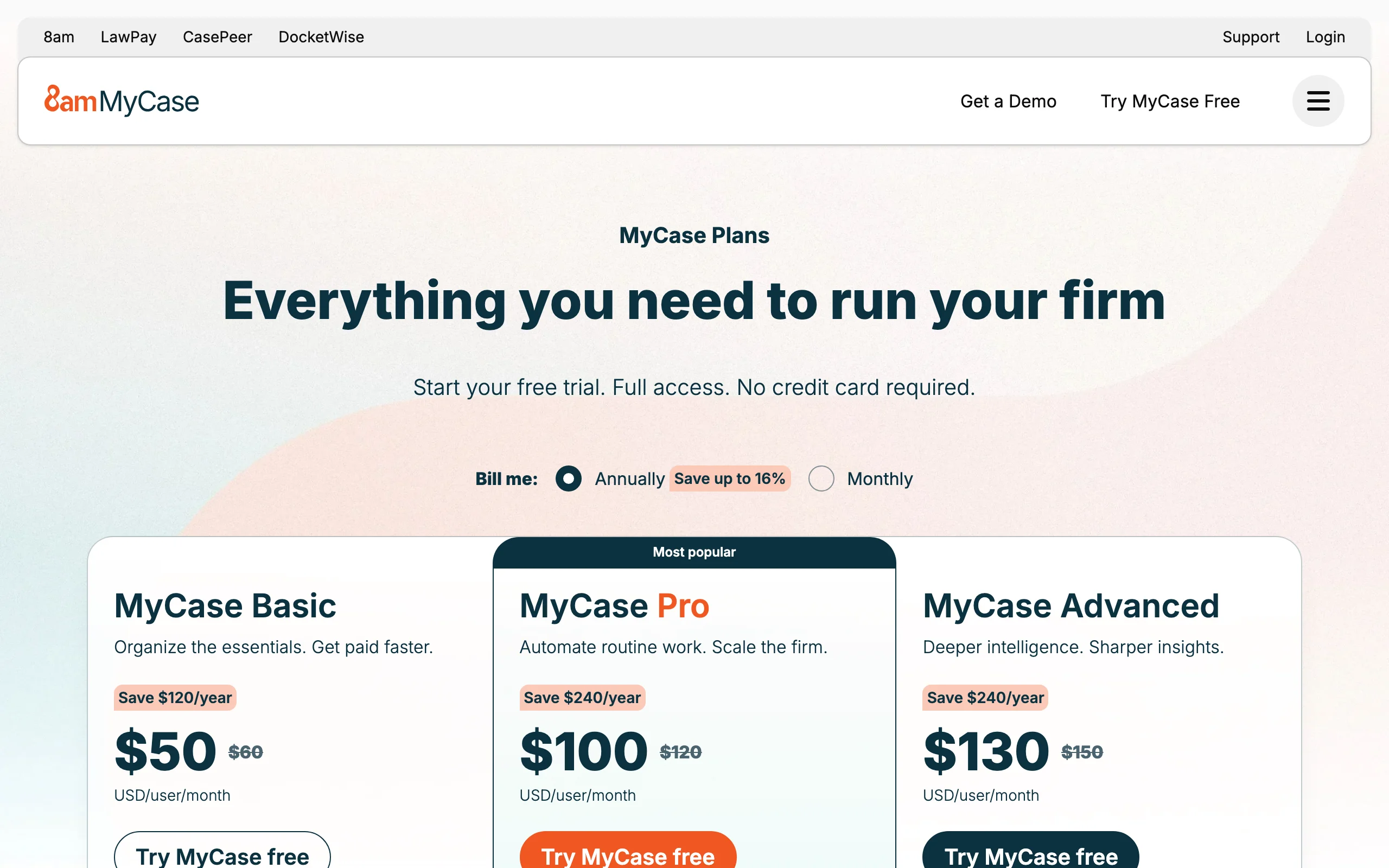
- Per user per month on monthly billing: Basic $60, Pro $120, Advanced $150; on yearly billing those drop to $50, $100, and $130
- 10-day trial with no credit card required
Pros
- Every tier priced in public, which makes budgeting simple
- AI arrives with the practice management you need anyway
Cons
- The cheapest plan has no AI, so the real entry point is $100 to $120 a month
- Its AI is tuned to your own files, not to answering open legal research questions
4. Gavel, best for turning estate-planning intake into finished documents
Estate planning runs on repetition. The fifth revocable trust package this month differs from the first in names, trustees, and a few distribution choices, not in structure. Gavel lets you build that logic once: a client fills out a branded questionnaire, conditional questions appear only when relevant (minor children, a special needs beneficiary, a second marriage), and the answers populate your own Word or PDF templates. You review a near-final draft instead of retyping one.
Gavel, now owned by Relativity, also sells Gavel Exec, a separate AI contract review tool for Word, but for a solo estate practice the workflow builder is the reason to buy.
Key features
- No-code workflows that turn intake answers into Word and PDF documents
- Conditional logic so clients only see questions that apply to them
- Clio integration on the entry plan
- Payment collection and DocuSign integration on the Pro plan
Best for
- Estate planners producing wills, trusts, and powers of attorney in volume
- Flat-fee practices where every saved hour is margin
Pricing
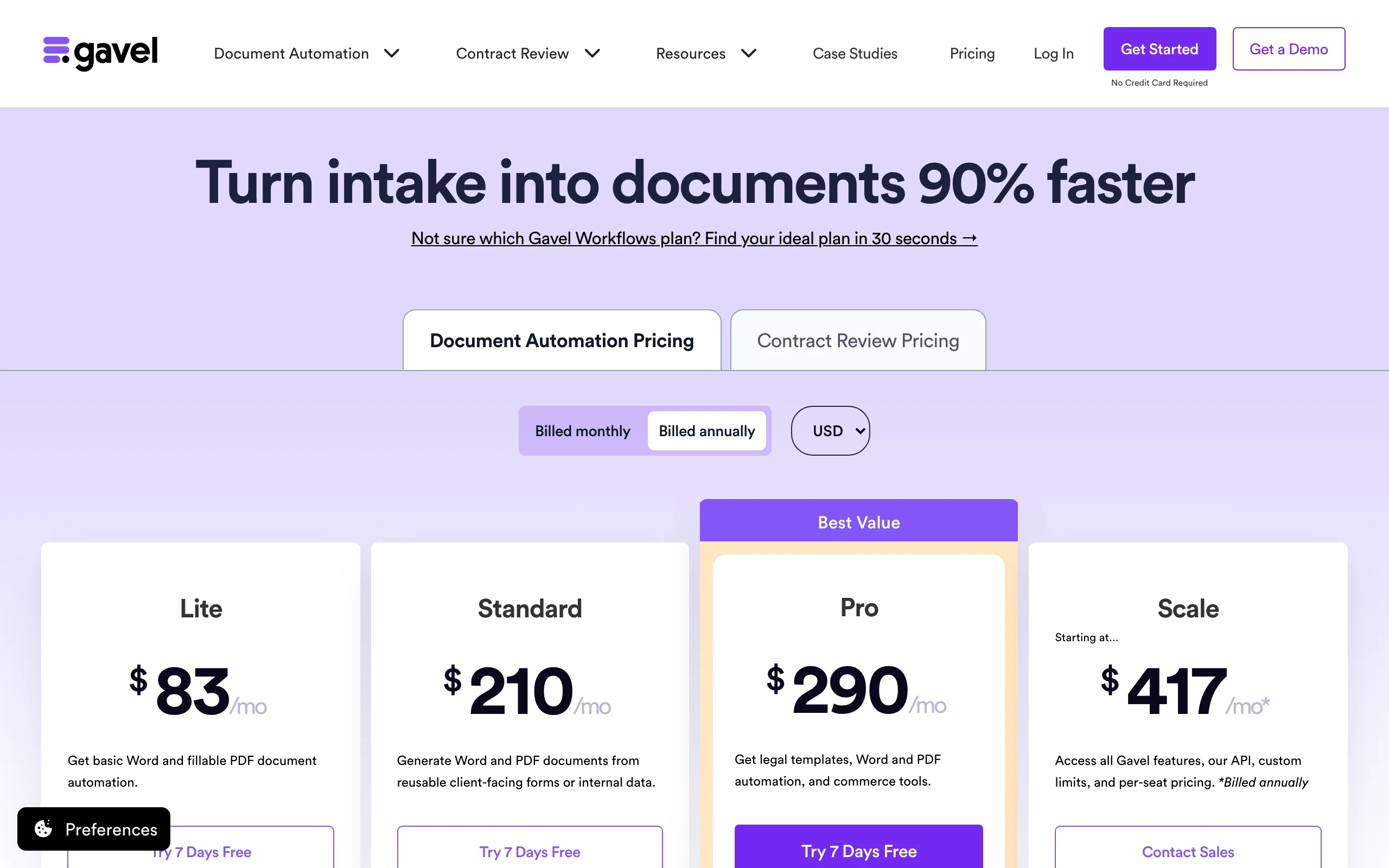
- Lite starts at $83/month (1 builder seat, 10 workflows, 100 sessions a month)
- 7-day free trial with no credit card; annual billing gives two months free
Pros
- Your templates, your language: the output reads like your firm wrote it
- Clients do the data entry before the signing meeting
Cons
- You have to build the workflows yourself, which takes a few evenings up front
- Session caps on the lower plans can bite in a busy month
For more options in this category, see our roundup of document automation tools for law firms.
5. Otter.ai, best low-cost note taker for client meetings
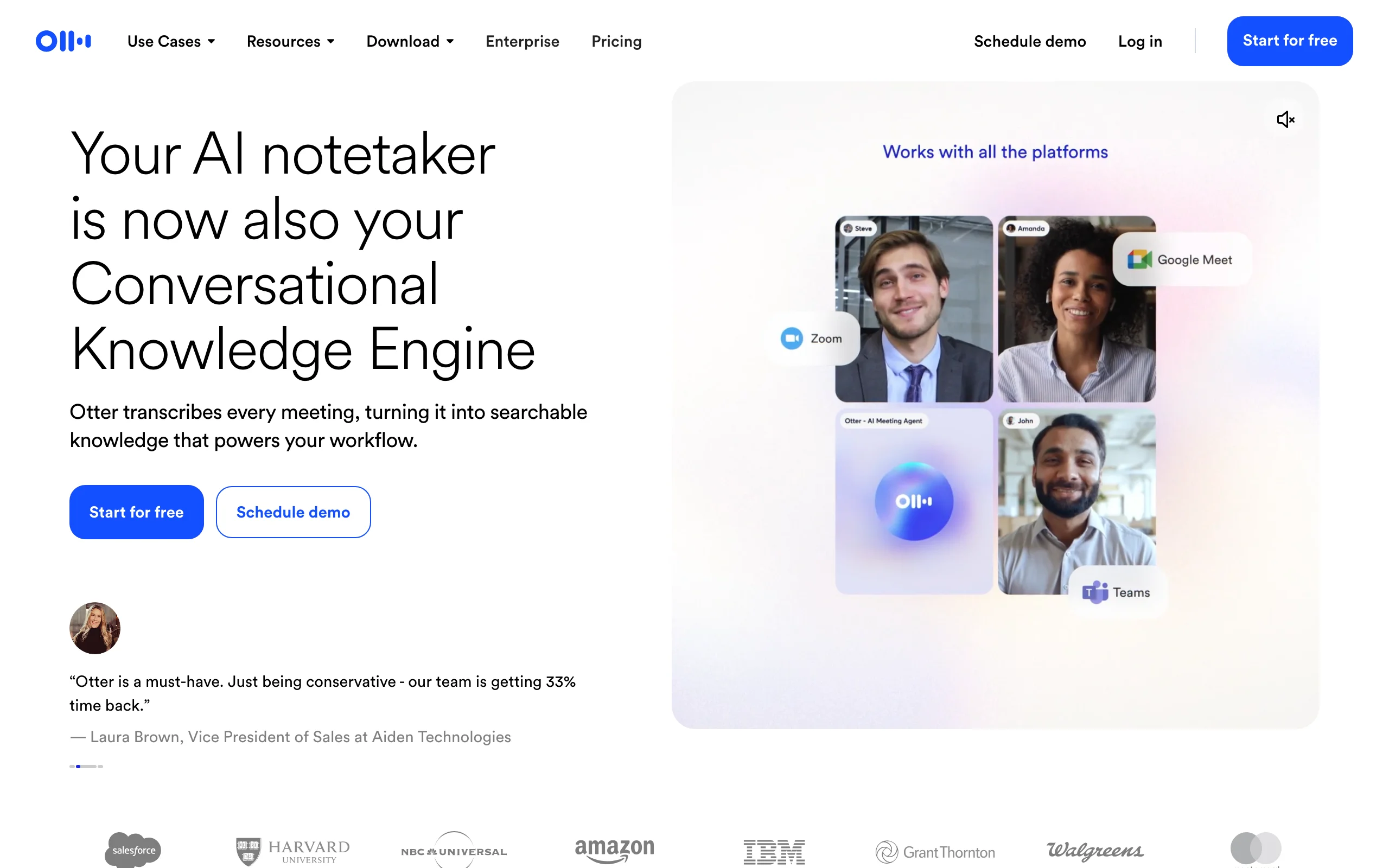
A solo cannot take good notes and hold a good consultation at the same time. Otter.ai records and transcribes calls and video meetings on Zoom, Teams, and Google Meet, labels speakers, and lets you ask questions of the transcript afterward ("what did the client say about the 2019 refinance?"). For an estate planning intake or a family law strategy call, that means you look at the client instead of your notepad.
Two cautions before you press record. Get the client's consent and check your state's recording rules, since some states require every party to agree. And remember that the HIPAA-compliance option is Enterprise only, which matters if you are discussing medical facts in a guardianship or special needs matter.
Key features
- Live transcription with speaker identification
- AI chat over your meeting transcripts
- Joins Zoom, Microsoft Teams, and Google Meet calls
- Audio and video file imports for recorded calls
Best for
- Solos who run long intake calls and consultations
- Anyone who wants a searchable record of what a client said and when
Pricing
- Free Basic plan with 300 transcription minutes a month
- Pro $16.99/user/month ($8.33 billed annually) with 1,200 minutes and up to 90 minutes per meeting; Business $30/user/month ($19.99 annually)
Pros
- The cheapest add-on here, with a usable free tier
- Saves real time on memo-to-file after every call
Cons
- A general business tool, not built around privilege or legal workflows
- Pro caps meetings at 90 minutes, which a long mediation prep call can exceed
For more ways to save admin time, our list of productivity tools for lawyers covers calendaring, time tracking, and more.
6. Briefpoint, best for family law discovery responses
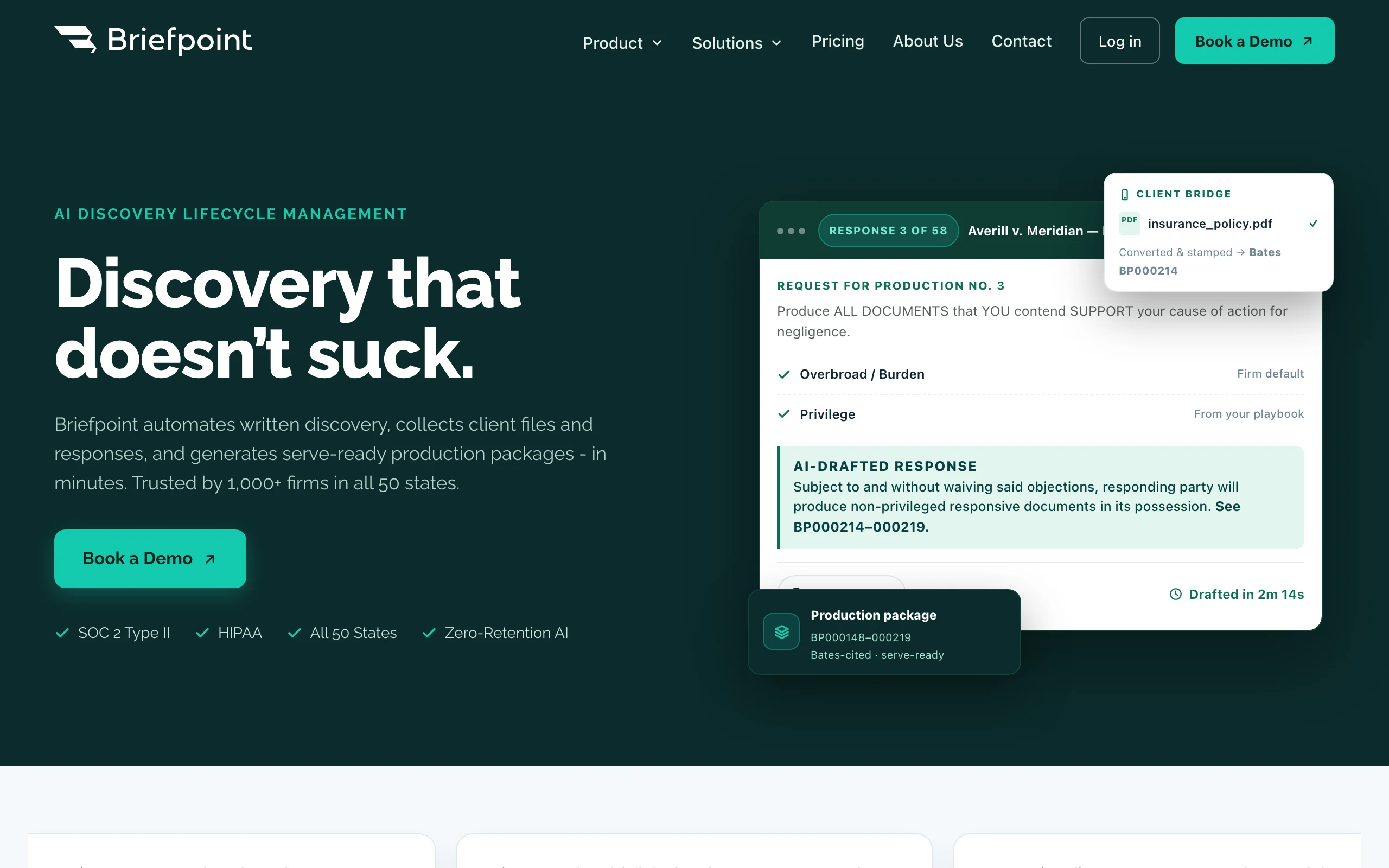
Contested divorces generate paper. Opposing counsel serves 60 interrogatories and a stack of requests for production, and the solo has 30 days, a client who has not found the bank statements, and three other matters on fire. Briefpoint is built for exactly that: upload the requests and it drafts responses with your standard objections, collects documents and interrogatory answers from the client (with English and Spanish translation), and builds a Bates-cited production package.
It is the most specialized tool on this list, and that is the point. If discovery is your bottleneck, a general assistant will not save you as much time.
Key features
- Drafts responses to RFAs, RFPs, and interrogatories with automatic objections
- Client portal to gather files and interrogatory answers, with English and Spanish translation
- RFP responses tied to Bates-numbered production
- Discovery playbooks so your objection style stays consistent
- Coverage for all 50 states and 98 federal district courts
Best for
- Family law litigators handling contested divorces and custody fights
- Solos who dread the 30-day discovery clock more than any other deadline
Pricing
- $150/month per attorney, billed annually ($1,800 a year), with no per-case fees
- No self-serve trial listed; access starts with a demo
Pros
- Flat price, unlimited documents, so a heavy month does not raise the bill
- SOC 2 Type II and HIPAA-compliant security
Cons
- Annual commitment only, which is a real cash outlay for a new solo
- Does nothing outside discovery, so it is always an add-on
7. Spellbook, best for solos with a heavy contract practice in Word
Spellbook sits inside Microsoft Word and helps draft, review, and redline agreements without leaving the document. It is built for transactional work: flagging terms that are missing or one-sided, suggesting clause language, and keeping your positions consistent across deals. Its Associate feature handles larger multi-document tasks.
For a family and estate solo it is usually more than you need. It earns its place if a good share of your practice is business formation, buy-sell agreements for family businesses, or commercial contracts for estate clients.
Key features
- Word add-in for drafting, review, and redlining in place
- Flags missing or aggressive terms
- Associate for multi-document work
- Playbooks for consistent negotiation positions
Best for
- Solos whose files are mostly contracts, not pleadings or estate documents
- Attorneys who refuse to leave Word
Pricing
- Custom pricing based on the number of users; no list price posted
- 7-day trial for individual lawyers, started through a demo request
Pros
- Strong fit for the redline-heavy part of transactional work
- No copy and paste between a chat window and your draft
Cons
- Price is a quote, so you cannot plan your monthly number in advance
- Narrow for a mixed family and estate practice
If you like the idea but not the quote process, our guide to Spellbook alternatives compares cheaper options.
8. CoCounsel, best if you already pay for Westlaw
CoCounsel is Thomson Reuters' AI assistant. The Essentials plan covers drafting, document review, summarizing and comparing documents, deposition preparation, and timeline creation. The bigger plans fold in Westlaw Advantage and Practical Law, which is where its research strength comes from.
It belongs on a solo list for one reason: if you already pay for Westlaw, adding AI from the same vendor keeps your research and your drafting grounded in the same source. If you do not, the cost math in the next section is hard to argue with.
Key features
- Drafting, review, summary, and document comparison
- Deposition preparation and timeline creation
- Westlaw Advantage and Practical Law on the CoCounsel Legal plan
Best for
- Solos already committed to Westlaw
- Litigators who prepare depositions often enough to justify the price
Pricing
- CoCounsel Essentials from $340.85/month; CoCounsel Legal from $1,694.90/month (Thomson Reuters' posted starting prices)
- Free trial available on Essentials
Pros
- Backed by a major legal publisher's content on the higher plans
- Deposition and timeline tools that suit litigation
Cons
- The entry plan alone costs more than the full family law stack below
- Final pricing depends on contract term and coverage, so read the quote closely
Comparing research-first options? Our list of Casetext alternatives covers tools that grew out of the original CoCounsel.
The one-person AI stack: three budgets, real monthly math
Here is how the tools combine for three common solo practices. Prices use each vendor's posted monthly rate unless the tool only bills annually, in which case we show the monthly equivalent.
| Practice | Core tool | Add-ons | Monthly total |
|---|---|---|---|
| New solo, general family law | LegesGPT Plus ($49.99) | Otter.ai Pro ($16.99) | $66.98 |
| Estate planning, flat-fee | LegesGPT Plus ($49.99) | Gavel Lite ($83) + Clio Starter ($49) | $181.99 |
| Contested family law litigation | LegesGPT Premium ($99.99) | MyCase Pro ($100 annual rate) + Briefpoint ($150 annual rate) + Otter.ai Pro ($16.99) | $366.98 |
| For comparison | CoCounsel Essentials ($340.85) | none | $340.85 |
A few notes on reading the table:
- The $67 stack is the one most new solos should start with. At a $300 hourly rate it costs less than 15 minutes of billed time a month. If you only need research and drafting, LegesGPT Basic drops it to $36.98.
- The $182 stack fits a flat-fee estate practice. Gavel handles the trust package assembly, LegesGPT handles the unusual questions and the documents that do not fit a template, and Clio Starter keeps trust accounting clean (its AI features are on higher tiers).
- The $367 stack is for a solo whose calendar is mostly contested matters. Briefpoint and MyCase are paid annually, so budget about $3,000 up front for those two.
- The comparison row is the point: one premium research product can cost about as much as an entire working stack.
Before you commit, run each tool on a real closed file. Use a settlement agreement you already negotiated, a will you already drafted, a set of interrogatories you already answered. You know the right result, so you will see quickly which tool earns its line on the budget.
How to choose AI for a solo law practice
1) Start with your monthly number, not the feature list
Decide what you can spend every month without flinching, then fill it. Under $50: LegesGPT alone. Under $100: LegesGPT plus Otter.ai. Under $200: add Gavel or move to practice management with AI built in. Above that, add specialized tools only where a single task eats your week. For a broader view of the category, our guide to software for lawyers maps the rest of the market.
2) Find the job that steals your evenings
- If research and first drafts eat your nights: LegesGPT as the core.
- If you are retyping the same trust package: Gavel.
- If discovery deadlines run your life: Briefpoint.
- If billing and client updates fall behind: MyCase Pro or Clio Core.
- If most of your work is contracts in Word: Spellbook.
3) Avoid paying twice for the same AI
The easiest mistake in a solo stack is overlap. Clio Work, MyCase Advanced's case assistant, CoCounsel, and LegesGPT all answer questions about documents. Pick one tool for research and drafting, then add tools that do something it does not (transcription, discovery responses, intake automation). Paying for two research assistants rarely saves twice the time.
4) Protect client confidences before anything else
Read each vendor's data terms before you upload a client file. Look for a clear statement on whether your data trains their models, what security certifications they hold, and whether recordings or uploads can be deleted. Get consent before recording any call, follow your state's rules on recording and on AI use, and check every citation before it goes into a filing. AI saves a solo hours, but the license on the line is still yours.
Frequently Asked Questions
Which AI tool gives a solo lawyer the most value per dollar?
For most solos the best value is one core tool that covers research, drafting, and document review rather than several narrow ones. LegesGPT handles all three starting at $19.99 monthly, and you can test it for three days for $1. Bring in a free or low-cost note taker such as Otter.ai only once the core tool is part of your routine.
What does a realistic AI budget look like for a solo lawyer?
A workable starting stack costs about $37 to $67 a month, for example LegesGPT Basic or Plus plus Otter.ai Pro. A flat-fee estate practice adding document automation and practice management lands near $182, and a contested family law practice with discovery software and practice management runs about $367. Set your monthly number first, then fill it.
Do I need practice management software to use AI as a solo?
No. AI research and drafting tools work on their own in a browser. You still need somewhere to track time, bill, and reconcile trust accounts, and if you are choosing that system now, MyCase Pro or a Clio plan with AI features can cover both jobs in one subscription.
Is it ethical for a solo attorney to use AI on client matters?
Yes, provided you keep the duties you already have. Read each vendor's data and security terms before uploading client files, get consent before recording calls, follow your state bar's guidance on AI, and verify every citation and draft yourself before it reaches a client or a court.
Which AI tools help most with family law work?
Family law solos usually get the biggest time savings in three places: research and first drafts, written discovery, and client meeting notes. A general legal AI such as LegesGPT handles research and drafting, Briefpoint drafts discovery responses with objections, and Otter.ai transcribes intake and strategy calls.
What AI tools work best for a solo estate planning practice?
Estate planning rewards automation because the documents repeat. Gavel turns a client questionnaire into finished will and trust drafts from your own templates, and a legal AI tool covers the unusual questions and documents that do not fit a template. Clio Starter or another practice management system keeps billing and trust accounting in order.
Is CoCounsel worth it for a solo lawyer?
It can be if you already pay for Westlaw and want AI from the same source. CoCounsel Essentials starts at $340.85 a month, which is more than an entire three-tool solo stack built around a lower-cost legal AI, so most solos without a Westlaw subscription get more value elsewhere.
If I can only afford one AI tool for my solo practice, which should it be?
Choose the tool that covers the work you do every day. For most solos that means research with citations, drafting, and document review, which is why LegesGPT is our core pick: one subscription, no seat minimums, and a $1 trial to test it on a real file first.