

I have been a litigation paralegal for fifteen years, and my week has looked roughly the same for most of them. Monday is intake calls and conflict checks. Tuesday disappears into a 900-page medical or email production that somebody needs a chronology of by Thursday. Wednesday is a stack of discovery responses and a motion an attorney wants "cite-checked before lunch." Friday is calendaring, chasing signatures, and praying nothing got docketed wrong.
AI paralegal software does not replace that week. What the good tools do is take specific line items off it. One drafts the discovery responses, another builds the chronology, a third answers the research question with sources I can actually click. The trick is knowing which tool handles which line item, because no vendor covers all of them equally well, whatever the homepage says.
So this is not a ranking of "smartest AI." It is a task-by-task look at 8 AI tools for paralegals, with verified pricing, what each one honestly takes off your desk, and where you still have to do the work yourself.
AI paralegal software at a glance: what each tool takes off your desk
Here is the short version, organized by the job each tool is actually good at:
- LegesGPT: Best all-around AI paralegal assistant for small litigation and general practice teams: research answers with linked sources, document review that flags problems, drafting, and e-signature under one login.
- CoCounsel Legal: Best for Westlaw shops that want deposition outlines, timelines, and deep research grounded in Thomson Reuters content.
- Clio Work: Best for paralegals who live in Clio and want document analysis and research tied to the matter file.
- Everlaw: Best for high-volume document review and building case chronologies straight from the production.
- Supio: Best for plaintiff personal injury teams buried in medical records and demand packages.
- Briefpoint: Best for drafting and answering written discovery without retyping every request.
- Spellbook: Best for transactional paralegals who mark up contracts inside Microsoft Word.
- Lawmatics: Best for the intake end of the job: lead forms, qualification, follow-ups, and handoff to practice management.
| Tool | Paralegal tasks it covers | Starting price | Trial | Where it runs |
|---|---|---|---|---|
| LegesGPT | Research, cite-checking, review, drafting, e-sign | From $19.99/mo | 3-day for $1 | Web app |
| CoCounsel Legal | Research, depo prep, timelines, review | Reported $637-$784/attorney/mo | Demo, occasional short trials | Web, Westlaw |
| Clio Work | Document analysis, research, drafting | Quote (demo) | Free trial offered | Web, Clio Manage |
| Everlaw | Document review, chronologies, depo prep | Quote (demo) | Demo | Web |
| Supio | Medical chronologies, demand letters | Quote (demo) | Demo | Web |
| Briefpoint | Propounding and responding to discovery | $150/attorney/mo, billed annually | Demo | Web, Word output |
| Spellbook | Contract review and redlining | Custom, per user | 7-day free | Word add-in |
| Lawmatics | Intake, lead follow-up, client CRM | Quote | Promotional free first month | Web |
A note on prices before you show this table to anyone who signs checks: only LegesGPT and Briefpoint publish a firm number. Everyone else quotes per firm, so the CoCounsel figures are third-party reports, and the rest are "talk to sales." Get a written quote before you build a budget around any of them.
1. LegesGPT, best all-around AI paralegal assistant for small teams
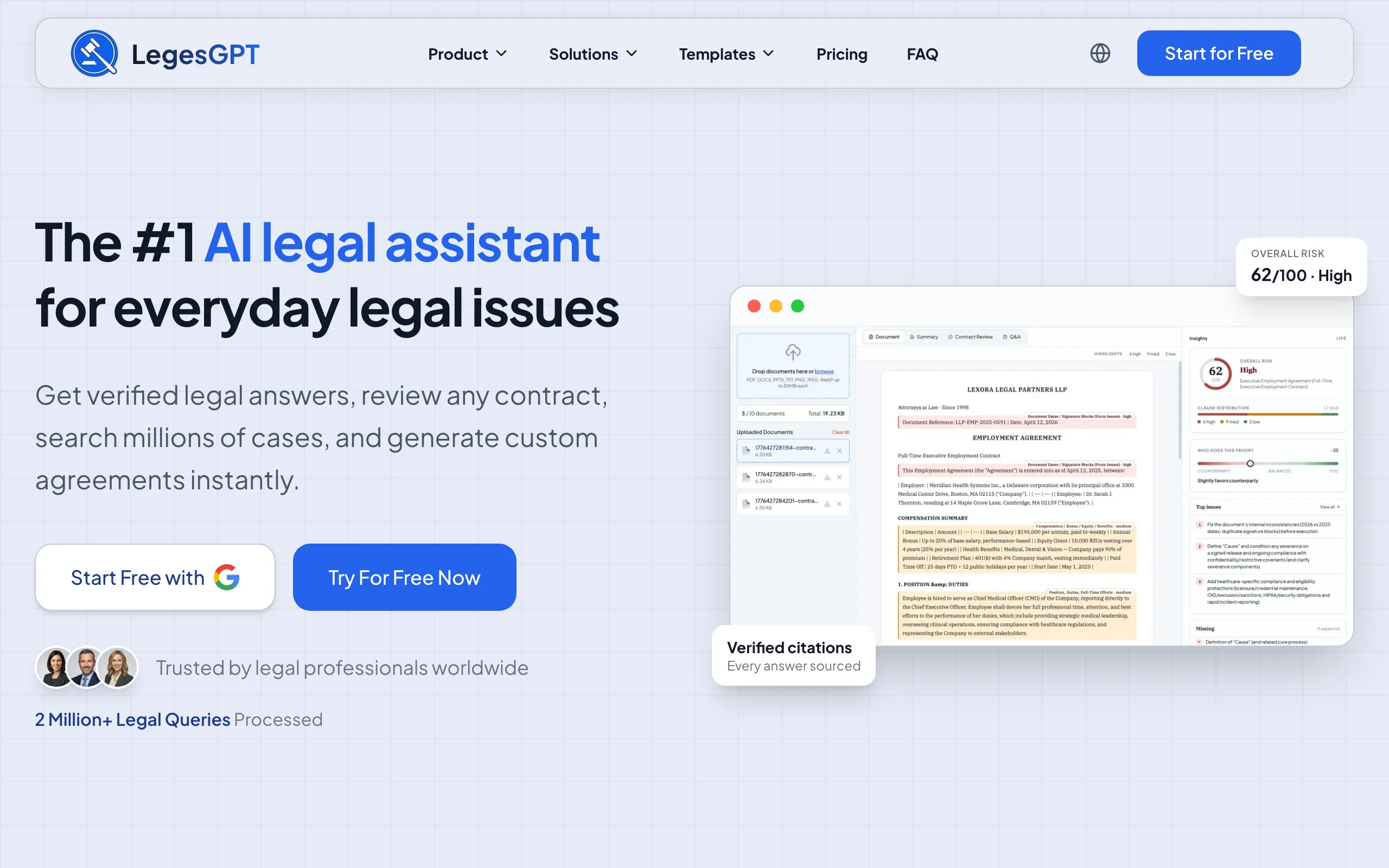
LegesGPT is the tool I would hand a paralegal who supports two or three attorneys across different matters and has no IT department behind them. You ask a legal question in plain English and get an answer with citations that link back to the source, which turns cite-checking from "pull every case by hand" into "click, read, confirm." You upload an opposing party's settlement draft or a vendor contract and it flags the risky provisions and suggests replacement language. You need a demand letter, a stipulation, or a basic agreement, and it walks you through a few questions and drafts it, then you send it out for e-signature from the same screen.
The part paralegals tend to like most is that it is self-serve. Nobody has to sit through a sales demo or argue for a seat license. You can try it for three days for a dollar and know by Wednesday whether it earns its place in your week.
Tasks it handles
- Research questions answered with verified citations and source links, so you can check the authority instead of trusting a summary
- Case law and statute search when you need to pull the actual text for a binder or a cite-check
- Document review that flags risky or one-sided clauses and proposes changes, with a plain-language summary for the attorney
- Guided AI drafting of letters, agreements, and routine documents, plus 100+ fill-in templates as a separate option
- Built-in e-signature for getting client documents signed and returned
- Deep Research mode for the messier, multi-step questions that would otherwise eat an afternoon
Who it fits
- Paralegals at solo and small firms who cover research, drafting, and document review for several attorneys
- Teams that want one subscription instead of a research tool, a review tool, and a signature tool billed separately
- Freelance and contract paralegals who need something they can expense without a procurement process
Pricing
- Basic $19.99/month, Plus $49.99/month (50 document reviews a month), Premium $99.99/month (unlimited reviews and priority support)
- 3-day trial for $1; there is no permanent free tier
- Annual billing takes about 30% off
What I like
- The linked citations make it a real cite-checking aid rather than another thing you have to double-check from scratch
- Covers the research, review, drafting, and signing part of the week without switching tabs
- The price is low enough that a paralegal can trial it without asking the managing partner first
Where it falls short
- Web-only: no Word add-in, no mobile app, no API, so it will not sit inside your document management system or Word ribbon
- It is not an e-discovery platform; if you are reviewing a 200,000-document production, you need something like Everlaw for that piece
2. CoCounsel Legal, best for Westlaw firms doing deposition and trial prep
CoCounsel Legal is Thomson Reuters' assistant, and if your firm already pays for Westlaw, it is the most natural add-on for litigation support. Its Deep Research feature plans a multi-step research task and grounds the results in Westlaw and Practical Law content, which matters when the attorney wants a memo they can rely on. For paralegals, the stronger selling point is deposition and trial prep: Thomson Reuters describes pulling key facts and dates from pleadings and discovery, summarizing prior testimony, generating likely questions and objections, and assembling a quick-reference timeline of events.
That is real work off a litigation paralegal's plate. The catch is cost and commitment. CoCounsel Legal is priced for firms that think of Westlaw as a utility bill, not for a three-lawyer shop testing the waters.
Tasks it handles
- Deposition outlines and witness question sets built from pleadings, discovery, and prior testimony
- Timelines of key events pulled from the case documents
- Agentic Deep Research grounded in Westlaw and Practical Law
- Document review, summarization, and first drafts inside guided workflows
Who it fits
- Litigation paralegals at mid-size and larger firms already on Westlaw
- Teams that do a lot of deposition and trial prep and want those workflows packaged
Pricing
- Thomson Reuters does not publish a single price sheet; self-serve CoCounsel Legal has been reported at $637 to $784 per attorney per month depending on contract length
- The older CoCounsel Core add-on has been reported around $225 per user per month on top of Westlaw
- Demo first; short trials have been offered intermittently
What I like
- Deposition and timeline workflows map directly onto what litigation paralegals already do
- Research answers come from Westlaw content, which most attorneys already trust
Where it falls short
- Expensive and contract-based, with the best value only if Westlaw is already in the budget
- Mostly US-focused content, and the pricing structure takes a sales call to untangle
3. Clio Work, best if your matters already live in Clio
Clio Work is the AI workspace Clio built after acquiring vLex and its Vincent AI. It reviews pleadings, discovery, contracts, and transcripts, helps draft motions and briefs, and runs research against the Clio Library with citation checking that flags weak authority. It can run on its own, but the reason a paralegal would pick it is the Clio Manage connection: once linked, it can see the matter's documents, notes, communications, tasks, and contacts without you uploading everything again.
Inside Clio Manage itself, the AI assistant formerly called Clio Duo now goes by Manage AI and handles the lighter matter-management chores, like summarizing a matter or drafting from what is already in the file.
Tasks it handles
- Analysis of pleadings, discovery responses, contracts, and deposition transcripts
- Drafting support for motions, briefs, and summaries using matter context
- Research with citation checks against the Clio Library
- Matter summaries and drafting inside Clio Manage through Manage AI
Who it fits
- Paralegals at firms that already run calendaring, billing, and documents through Clio Manage
- Teams that want AI to read the matter file they already maintain instead of a separate upload folder
Pricing
- Clio Work pricing is quote-only through a demo, though the product page offers a free trial
- Clio Manage plans start at $49 per user per month (EasyStart); higher tiers are quote-based, so confirm which ones include Manage AI
What I like
- No re-uploading: the AI works from the same matter record you keep up to date anyway
- Citation checking built into the research side
Where it falls short
- Most useful only if your firm is committed to Clio; outside it, you lose the main advantage
- No published price, which makes it hard to compare without a sales call
4. Everlaw, best for document review and building the chronology from the record
If your week includes a real document production, Everlaw is the tool built for it. It is a full e-discovery platform, and its AI layer sits on top of the review. The Review Assistant summarizes large sets of documents and answers questions about them, Deep Dive lets you ask natural-language questions across very large matters and get answers tied to the evidence, and Coding Suggestions proposes first-pass coding with a reason for each call.
The part I would point a litigation paralegal toward is Storybuilder. It is where you build the fact chronology: each event dated, described, and linked to the documents and deposition testimony that support it. Associates and paralegals can also prepare exhibit lists from it for depositions or trial. Anyone who has kept a chronology in a spreadsheet with a column of Bates numbers knows why that matters.
Tasks it handles
- First-pass review with AI coding suggestions and explanations
- Natural-language questions across the whole production through Deep Dive
- Fact chronologies and timelines tied to the underlying documents in Storybuilder
- Deposition prep and exhibit lists, plus a Writing Assistant grounded in the record
Who it fits
- Litigation paralegals managing productions with thousands to millions of documents
- Firms, corporate legal departments, and government teams that need e-discovery and trial prep in one place
Pricing
- No published pricing; Everlaw quotes through a demo
- Some AI features, such as Deep Dive questions, run on credits
What I like
- The chronology lives next to the evidence, so every entry has its document attached
- Built to handle production volumes that would choke a general-purpose AI assistant
Where it falls short
- Overkill for a small firm with a few banker's boxes of documents
- It is a review platform, not a research or general drafting tool
5. Supio, best for personal injury records and demand packages
Personal injury paralegals have a very specific version of the week: request records, wait, receive 2,000 pages of medical records, summarize them, and build a demand. Supio is aimed squarely at that work. It is an AI platform for plaintiff firms that generates medical chronologies from case records, drafts demand letters, assists with litigation drafting, and surfaces patterns across case documents.
I picked Supio for this slot over EvenUp because its product covers the chronology and drafting work directly in the firm's hands and connects to case management systems, which keeps the paralegal in the loop rather than shipping files out. If your PI practice already uses EvenUp, it is worth comparing the two on your own files.
Tasks it handles
- Medical chronologies built from records, ready for attorney review
- Demand letter drafts based on the case file
- Litigation drafting support as a case moves past the demand stage
- Case-level and firm-level insights from patterns across matters
Who it fits
- Paralegals and case managers at plaintiff personal injury, mass tort, and medical malpractice firms
- Teams where medical record summaries are the biggest weekly time sink
Pricing
- No public pricing; Supio sells through a demo
- Expect firm-level pricing rather than a per-user self-serve plan
What I like
- Built for one practice area, so the outputs match how PI attorneys actually want chronologies and demands
- HIPAA and SOC 2 Type II compliance, which your records vendor and clients will ask about
Where it falls short
- Narrow by design: not useful outside plaintiff-side injury work
- No published price or self-serve trial
6. Briefpoint, best for written discovery
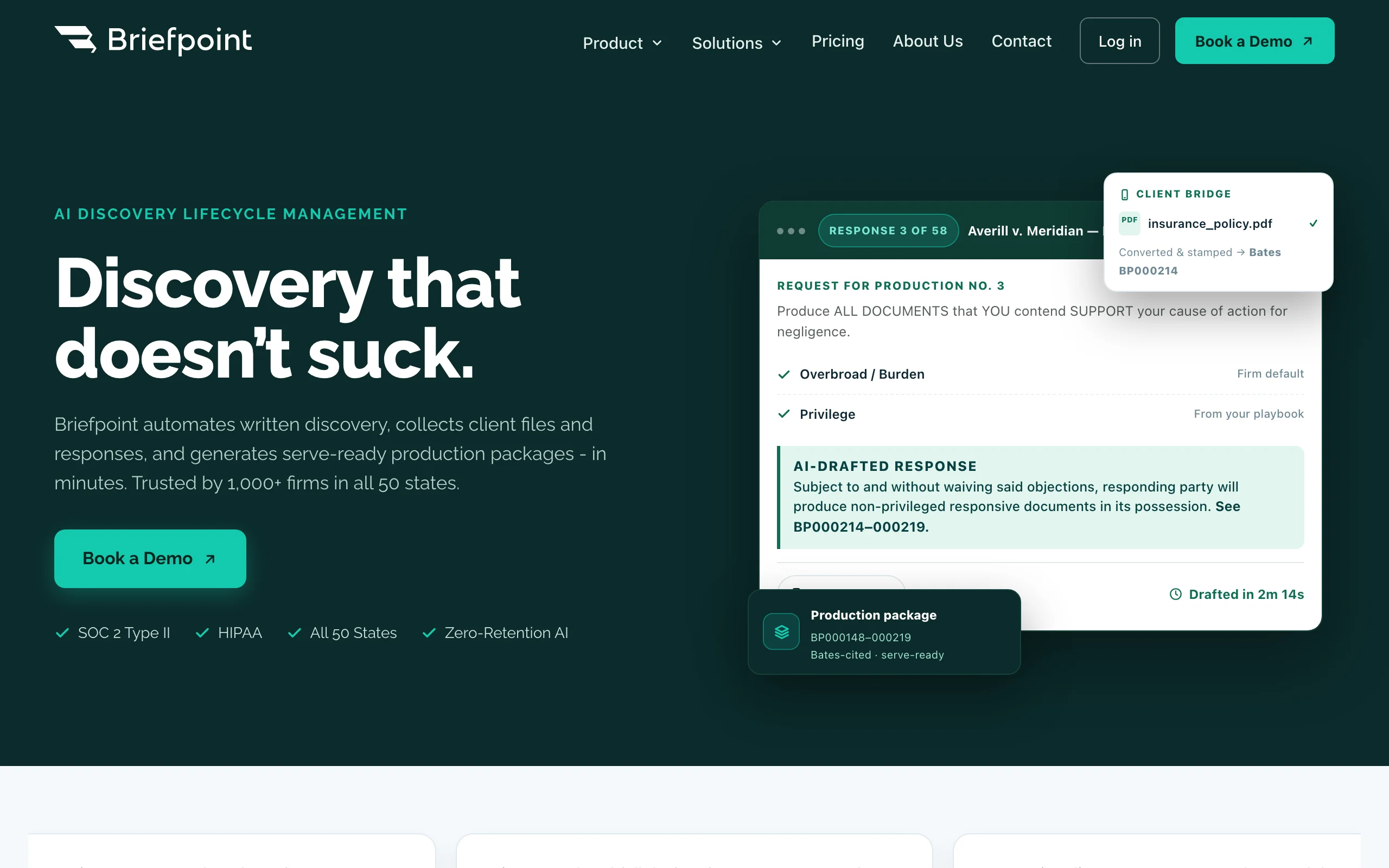
Every litigation paralegal has spent a day retyping someone else's interrogatories into a response shell. Briefpoint exists to end that. Upload the requests and it generates the response document with objections, formatted for the jurisdiction, as a Word file you can edit. It also drafts your own interrogatories, requests for admission, and requests for production, and it can send clients a secure link (in English or Spanish) to answer questions and upload documents.
The newer piece is RFP responses with production: it reads the requests, finds the responsive documents, writes the responses with Bates cites, and builds a production package. Discovery Playbooks keep objection strategy consistent across cases and catch contradictions.
Tasks it handles
- Responses and objections to interrogatories, RFAs, and RFPs, delivered as editable Word documents
- Propounding discovery with objection-aware drafting
- Client questionnaires and document collection through a secure link, in English or Spanish
- RFP responses with Bates-cited production packages and supplemental responses
Who it fits
- Litigation paralegals at firms that serve and answer a steady volume of written discovery
- State court practices, since it covers all 50 states plus 98 federal district courts
Pricing
- Rainmaker plan at $150 per attorney per month, billed annually ($1,800 a year)
- No per-case fees; unlimited document downloads
- Demo rather than a free trial
What I like
- Removes the most tedious typing in litigation support
- Output lands in Word, where you were going to finish it anyway
Where it falls short
- Single-purpose: it handles discovery and nothing else
- Annual commitment per attorney adds up at larger firms
7. Spellbook, best for transactional paralegals working in Word
Not every paralegal is in litigation. If you spend your day on leases, NDAs, and purchase agreements, Spellbook is a Word add-in that reviews and drafts contracts where you already work. It flags issues, suggests redlines, answers questions about the document, benchmarks terms against market norms, and enforces your firm's playbooks. Its Associate feature works across several documents at once, which helps on closing sets.
Tasks it handles
- Clause review and suggested redlines inside Microsoft Word
- First drafts and clause language on request
- Benchmarks that show whether a term is in line with market
- Playbooks that apply the firm's standard positions; multi-document work through Associate
Who it fits
- Corporate and real estate paralegals who live in Word all day
- In-house teams with a standard playbook they want applied consistently
Pricing
- Custom, user-based pricing through a demo
- 7-day free trial for lawyers and legal teams
What I like
- Zero context switching: the AI sits in the Word ribbon
- Playbooks keep junior reviewers aligned with the firm's positions
Where it falls short
- Contracts only; no case law research or litigation support
- Price is not published
8. Lawmatics, best for client intake
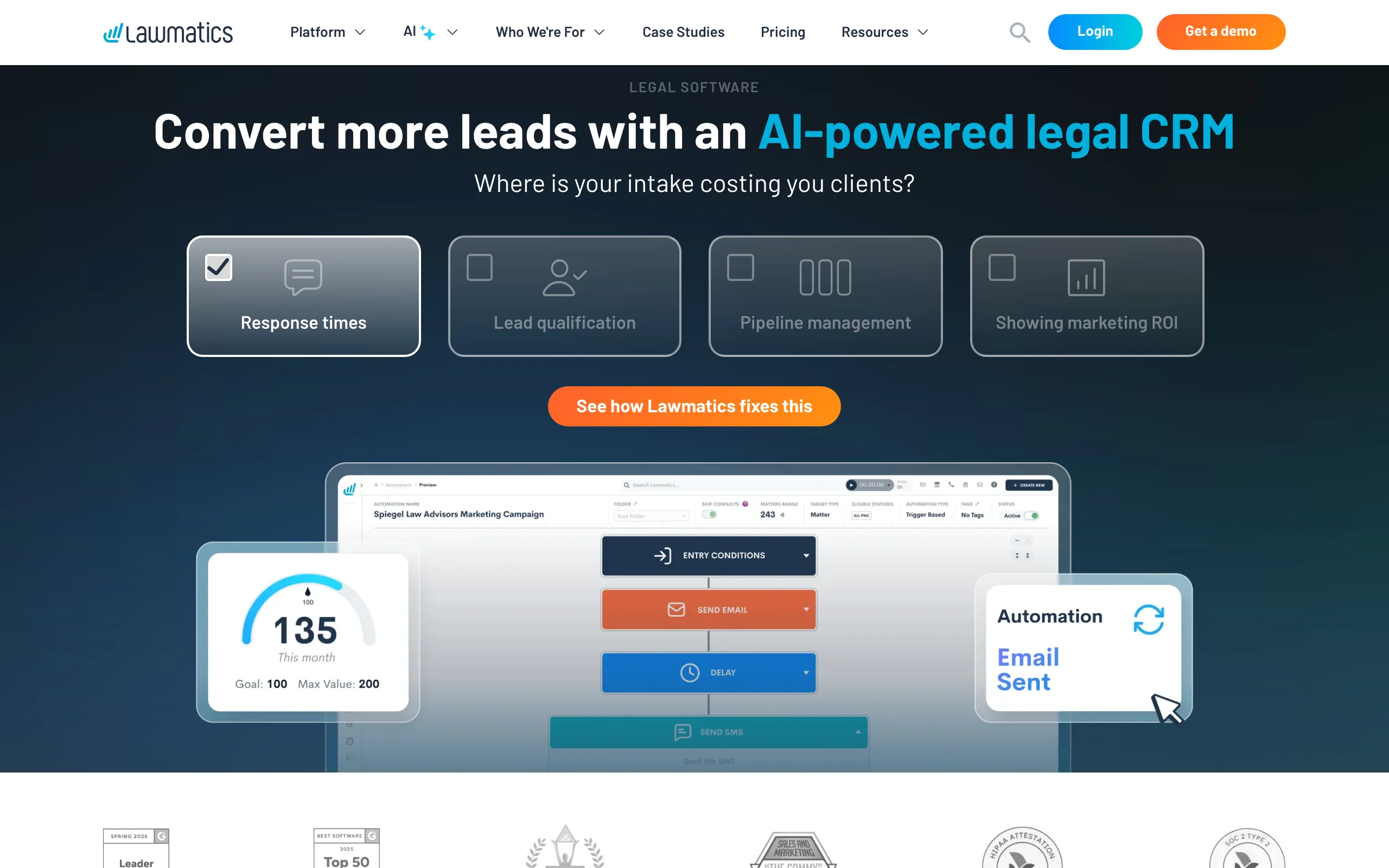
Intake is the least glamorous part of the paralegal week and the one that costs firms the most money when it goes wrong. Lawmatics is a legal CRM and intake platform: custom intake forms, appointment booking, automated email and SMS follow-up, conflict checks, client portals, and document automation. Its Merlin AI tools add lead qualification and routing, plus a copilot that builds automations from a plain description.
Once a lead becomes a client, Lawmatics connects to practice management systems like Clio, Filevine, and MyCase, so the intake data does not need to be retyped.
Tasks it handles
- Intake forms, scheduling, and automated follow-up so new leads do not sit unanswered
- AI lead qualification and routing to the right attorney
- Conflict checks and client portals during onboarding
- Handoff to Clio, Filevine, MyCase, and other practice management tools
Who it fits
- Paralegals and intake coordinators at consumer-facing practices (PI, family, immigration, bankruptcy, estate planning)
- Firms losing leads to slow call-backs
Pricing
- Essential, Premium, and Enterprise plans; pricing is not published
- Lawmatics has advertised a free first month as a promotion
What I like
- Automates the follow-up that slips when the paralegal is buried in a filing deadline
- Integrations mean intake data flows into the case file
Where it falls short
- Nothing for research, review, or drafting once the matter is open
- Pricing requires a sales conversation
How to choose AI paralegal software for your desk
Start with your own task list, not the vendor's feature list. Write down last week's tasks and roughly how long each took. The best AI paralegal tool for you is the one that removes the biggest block of hours, not the one with the most impressive demo.
1) Which part of your week is eating the most hours?
- Research and cite-checking: LegesGPT gives you answers with linked sources at a self-serve price; CoCounsel Legal if your firm is already paying for Westlaw. If research is the main need, our guide to AI legal research tools goes deeper.
- Document review and chronologies: Everlaw for real productions; LegesGPT for reviewing individual contracts and agreements; Supio if the documents are medical records.
- Written discovery: Briefpoint, without much competition.
- Contract markup: Spellbook in Word, or LegesGPT if you also need research and e-signature. Our roundup of AI contract review tools compares the options in more detail.
- Intake: Lawmatics, or the intake features in your practice management system.
2) What does your firm already pay for?
- Westlaw subscribers get the most out of CoCounsel Legal; the Westlaw content is what makes it worth the price. Firms leaving that ecosystem can look at these Casetext alternatives.
- Clio firms should test Clio Work first, because the matter connection is the whole point.
- Firms with no legal tech stack yet usually get the most coverage per dollar from LegesGPT, then add one specialist tool (Briefpoint or Supio) for the practice-specific bottleneck.
3) Can you justify the price in hours?
- Do the math on paper. At $49.99 a month, LegesGPT Plus has to save about an hour of paralegal time a month to pay for itself. Briefpoint at $150 per attorney needs to replace a couple of discovery shells. CoCounsel Legal at a reported $600-plus per attorney needs a lot of deposition and research volume behind it.
- Ask every quote-only vendor for a written price before the demo, not after.
4) Who checks the output?
- Every tool on this list produces drafts, not finished work. Cite-check every authority, compare every chronology entry to its source page, and read every discovery response before it goes out. The time savings come from not starting with a blank page, not from skipping review.
- Deadlines still belong in your docketing system. None of these tools replaces a rules-based calendar, and none should be trusted to calculate a response date on its own.
5) Test with your own files
- Run three real (properly anonymized or permitted) documents through each tool on your shortlist: a production set, a contract, and a research question you already know the answer to.
- If you want to see how these tools fit into a broader firm stack, our list of the best AI tools for law firms covers practice-wide options, and the AI legal assistants for lawyers roundup looks at the same category from the attorney's chair.
Frequently Asked Questions
What does AI paralegal software actually do day to day?
It takes over the first draft of repetitive support work. Depending on the tool, that means answering research questions with sources, flagging problems in a contract, drafting discovery responses, turning records into a chronology, or following up with new intake leads. A paralegal still checks the output and decides what goes to the attorney.
Will AI paralegal tools replace paralegals?
Not the paralegals who know the file. The tools remove typing, first-pass review, and summary work, but someone still has to know which documents matter, catch the date that does not match the deposition, and keep the attorney on schedule. Paralegals who learn these tools tend to take on more substantive work, not less.
What is the best AI for paralegals at a small firm?
For a small firm without a legal tech budget, LegesGPT covers the widest slice of the week for the lowest price: research answers with linked citations, document review, guided drafting, and e-signature from $19.99 a month with a 3-day trial for $1. Add a specialist tool like Briefpoint or Supio only if discovery or medical records are your biggest time sink.
Can AI help with cite-checking a brief?
Yes, as a first pass. Tools that link every citation to the source, such as LegesGPT, CoCounsel Legal, and Clio Work, let you open the authority and confirm it says what the brief claims. You still need to confirm the cite format, the pin cite, and that the case has not been overturned before anything is filed.
Which AI tool builds case chronologies?
Everlaw's Storybuilder builds fact timelines linked to the documents and testimony behind each entry, which suits large productions. CoCounsel Legal can assemble a quick timeline from pleadings and discovery for deposition prep, and Supio produces medical chronologies for personal injury files.
Is it safe to upload client documents to an AI paralegal assistant?
It can be, if the vendor does not train its models on your data and has security certifications your firm accepts, such as SOC 2 Type II, plus HIPAA compliance for medical records. Check the vendor's data terms, get your supervising attorney's sign-off, and follow your firm's confidentiality policy before uploading anything.
Can AI paralegal software calculate court deadlines?
Do not rely on a general AI assistant for that. Response and filing deadlines depend on local rules, service method, and holidays, so they belong in a rules-based docketing or calendaring system with a human double-check. Use AI to summarize the order or rule, then calendar the date the usual way.
How much does AI paralegal software cost?
Prices range from about $20 a month for self-serve tools like LegesGPT to several hundred dollars per attorney per month for CoCounsel Legal. Briefpoint publishes $150 per attorney per month billed annually, while Everlaw, Supio, Clio Work, Spellbook, and Lawmatics quote per firm after a demo.